
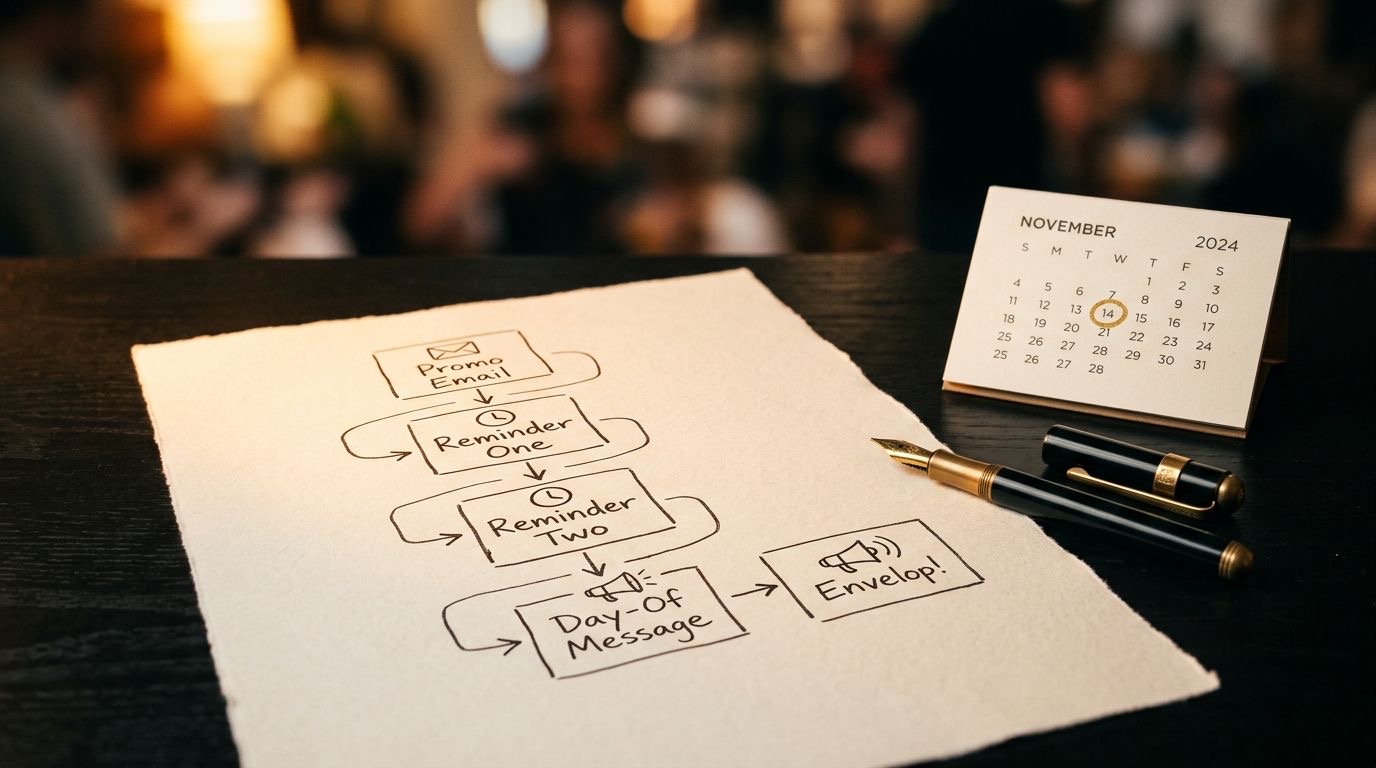
You scheduled a live Q&A, told a few people, and now you’re refreshing the registration page hoping the number climbs. The talk is the easy part. Filling the room is what makes or breaks the day, and one announcement email rarely does it.
This prompt handles the part most coaches skip: the full webinar promotion for coaches sequence, from the first announcement to the “we’re starting now” nudge. You give the AI your topic, your ideal attendee, and the date, and it returns every message you need, written the way live events actually get filled, spaced across the days before. By the end of this page you’ll also understand why each message works, so your next launch is sharper.
When to use this
- You’ve booked a live Q&A, AMA, or office-hours session and need to fill the seats.
- You’re launching a free masterclass or workshop and want a ready-made promo plan.
- You have an email list and a social channel but no time to write five separate messages.
- Your last live session had great content and low turnout, and you know the gap was promotion.
The prompt
Copy this whole block into ChatGPT, Claude, or Gemini:
You are an expert live-event marketer for coaches. Your job is to write a complete promotion and reminder sequence that fills the seats for a live Q&A session.

Before writing, ask me up to 3 clarifying questions if anything below is unclear. Otherwise, proceed.

CONTEXT
- My niche: {{NICHE}}
- My ideal attendee: {{IDEAL_ATTENDEE}}
- The live Q&A topic: {{SESSION_TOPIC}}
- Date, time and timezone: {{SESSION_DATETIME}}
- Platform: {{PLATFORM}}
- Registration link: {{REGISTRATION_LINK}}
- Channels I'll use: {{CHANNELS}}
- My tone: {{TONE}}

TASK
Write a full sequence with these messages, each clearly labelled with its name and send timing:
1. ANNOUNCEMENT (send ~7 days out): introduces the session and the one transformation attendees get.
2. VALUE NUDGE (send ~3 days out): teaches one small useful idea, then invites them to bring their question.
3. LAST CALL (send ~1 day out): creates honest urgency (it's tomorrow, seats/attention are limited).
4. SAME-DAY REMINDER (send morning of): short, includes how to join.
5. STARTING-NOW REMINDER (send ~15 min before): one line, link, go.
For messages going to email, also give me a subject line and a preview text.
For messages going to social, keep them native to that channel and shorter.

CONSTRAINTS
- Every message must include the registration or join link and the date/time with timezone.
- One clear call to action per message. No more than one.
- Sound human and match my tone. No buzzwords, no 'in today's fast-paced world', no fake scarcity or invented numbers.
- Keep emails under 150 words and social posts under 100 words.

After the sequence, give me 2 alternative subject lines for the LAST CALL email that I could A/B test, and one tip for getting more registrants to actually show up live.
How to customize it
Replace the eight {{VARIABLES}} before you send it:
| Variable | What to put | Example |
|---|---|---|
{{NICHE}} |
Your specific coaching niche | career coaching for mid-career professionals |
{{IDEAL_ATTENDEE}} |
The person you want in the room | professionals stuck at the same level for 3+ years who want a promotion |
{{SESSION_TOPIC}} |
What the live Q&A covers | how to ask for a promotion and actually get a yes |
{{SESSION_DATETIME}} |
Date, time, and timezone | Thursday June 12 at 12pm ET |
{{PLATFORM}} |
Where it happens | Zoom (link sent on registration) |
{{REGISTRATION_LINK}} |
The sign-up URL | https://khalid.digital/promotion-qa |
{{CHANNELS}} |
Where you’ll send it | email list and LinkedIn |
{{TONE}} |
How you sound | warm, direct, encouraging |
See it in action (full example)
Here is the exact prompt, filled in for a career coach. This is the whole input, nothing hidden:
You are an expert live-event marketer for coaches. Your job is to write a complete promotion and reminder sequence that fills the seats for a live Q&A session.

Before writing, ask me up to 3 clarifying questions if anything below is unclear. Otherwise, proceed.

CONTEXT
- My niche: career coaching for mid-career professionals
- My ideal attendee: professionals stuck at the same level for 3+ years who want a promotion
- The live Q&A topic: how to ask for a promotion and actually get a yes
- Date, time and timezone: Thursday June 12 at 12pm ET
- Platform: Zoom (link sent on registration)
- Registration link: https://khalid.digital/promotion-qa
- Channels I'll use: email list and LinkedIn
- My tone: warm, direct, encouraging

TASK
Write a full sequence with these messages... [rest of the prompt unchanged]
And here is the complete output the model returns:
1. ANNOUNCEMENT — Email — send ~7 days out (around June 5)
Subject: Bring your promotion question to a live Q&A Preview text: Thursday June 12, 12pm ET. Free, on Zoom.
Hi [first name],
If you’ve done great work for three years and watched the title stay exactly the same, this is for you.
On Thursday June 12 at 12pm ET I’m running a free live Q&A: How to ask for a promotion and actually get a yes. No slides marathon, mostly your questions, answered live.
You’ll leave knowing the exact conversation to start with your manager and how to frame the ask so it’s easy to say yes to.
It’s on Zoom. Save your seat and I’ll send the link:
Reserve my spot: https://khalid.digital/promotion-qa
See you there, [Your name]
2. VALUE NUDGE — Email — send ~3 days out (around June 9)
Subject: The promotion mistake almost everyone makes Preview text: Plus: bring your question to Thursday’s live Q&A.
Hi [first name],
Most people ask for a promotion by listing how hard they work. That’s the mistake. Your manager isn’t buying effort, they’re buying a solved problem.
Before our Q&A, try this: write one sentence finishing “My promotion would make my manager’s life easier because ___.” If you can’t fill the blank, that’s exactly what we’ll fix live.
Thursday June 12, 12pm ET, on Zoom. Bring that sentence and your toughest question.
Save your seat: https://khalid.digital/promotion-qa
[Your name]
3. LAST CALL — Email — send ~1 day out (June 11)
Subject: Tomorrow: your promotion questions, answered live Preview text: Thursday 12pm ET. Last chance to grab the link.
Hi [first name],
Quick one: the live Q&A is tomorrow, Thursday June 12 at 12pm ET.
I’m keeping it small enough to actually get to people’s questions, so if you want yours answered, register before tonight and have it ready.
If you’ve been waiting for the right moment to sort out your promotion conversation, this is it.
Grab your seat: https://khalid.digital/promotion-qa
See you tomorrow, [Your name]
4. SAME-DAY REMINDER — Email — send morning of (June 12)
Subject: Today at 12pm ET: see you there Preview text: Your Zoom link is in your registration email.
Hi [first name],
Today’s the day. The promotion Q&A starts at 12pm ET on Zoom.
Your join link is in your registration confirmation. Block 45 minutes, bring one real question, and come off mute when you can.
Not registered yet? You still can: https://khalid.digital/promotion-qa
See you at noon, [Your name]
5. STARTING-NOW REMINDER — Email — send ~15 min before
Subject: We’re starting in 15 minutes Preview text: Join now.
We’re live at 12pm ET. Join here: https://khalid.digital/promotion-qa
LinkedIn — Announcement (~7 days out)
Stuck at the same level for three years? Doing the work, watching the title stay put?
I’m running a free live Q&A on Thursday June 12 at 12pm ET: how to ask for a promotion and actually get a yes. Mostly your questions, answered live on Zoom.
Bring the conversation you’ve been avoiding. Register here: https://khalid.digital/promotion-qa
LinkedIn — Last Call (~1 day out)
Tomorrow, 12pm ET: a free live Q&A on getting the promotion you’ve earned.
I’m keeping it small so I can actually answer your question. If you’ve been circling the “can we talk about my role” conversation, come ask me directly.
Last call to register: https://khalid.digital/promotion-qa
2 alternative LAST CALL subject lines to A/B test: 1. “This closes tonight: tomorrow’s promotion Q&A” 2. “Have your promotion question ready, [first name]?”
One tip to get more registrants to show up live: In the same-day reminder, give people a tiny job to do before joining (here, “bring one real question” and the one-sentence exercise). A registrant who has prepared something has already invested, and is far more likely to actually attend.
That is the whole sequence, ready to drop into your email tool and schedule. A few minutes swapping in your real links and names, and it’s live.
Why this works
Three LLM principles are doing the heavy lifting here. Learn them and every prompt you write gets better:
- Role priming plus a complete spec. “You are an expert live-event marketer” tells the model which slice of its knowledge to use, and the numbered list of five named messages with send timings gives it a structure to fill rather than a blank request. “Write me some promo emails” produces vague mush; defining each message’s job (announce, nudge, urgency, remind, go) produces a sequence that actually maps to how attention builds before an event.
- Specificity in, specificity out. The model can only be as concrete as your input. A sharp ideal attendee (“stuck at the same level for 3+ years”) and a sharp topic (“actually get a yes”) let it write a hook that names a real frustration. Feed it “professionals who want to grow” and you’d get generic copy. The quality of your
{{IDEAL_ATTENDEE}}and{{SESSION_TOPIC}}caps the quality of the output. - Constraints are quality control. The rules aren’t decoration. “One call to action per message” stops the model from cramming three links into one email and splitting attention. “No fake scarcity or invented numbers” blocks the most common, trust-killing webinar-copy failure. “Include the date/time with timezone every time” prevents the single biggest reason people miss live sessions. And “ask me up to 3 clarifying questions first” lets the model fill gaps by asking instead of guessing, which is the biggest fix for generic AI writing.
Do this now
- Copy the prompt above into ChatGPT, Claude, or Gemini.
- Replace the eight variables with your real session details, especially the topic, attendee, and date/time.
- Send it. If it asks clarifying questions, answer them honestly.
- Paste each message into your email tool, schedule them on the dates it suggests, and post the two social versions.
Pro tips
- Give registrants a tiny pre-task. A one-line exercise or “bring one question” in your reminders raises live attendance more than any subject line, because prepared people show up.
- Keep the clarifying-questions line. It is the difference between a sequence that sounds like you and one that sounds like every other webinar.
- Add a replay line if you offer one. Tell the model to include “replay only for registrants” and it will weave that into the last-call and same-day messages as a reason to sign up now.
- Run it once per channel tone. Generate a warm version for email and a punchier version for social by changing only
{{TONE}}, then keep the best of each.


0 comments
No comments yet.